
RiverTime · A RiverThought product · free
Every city you care about, at a glance.
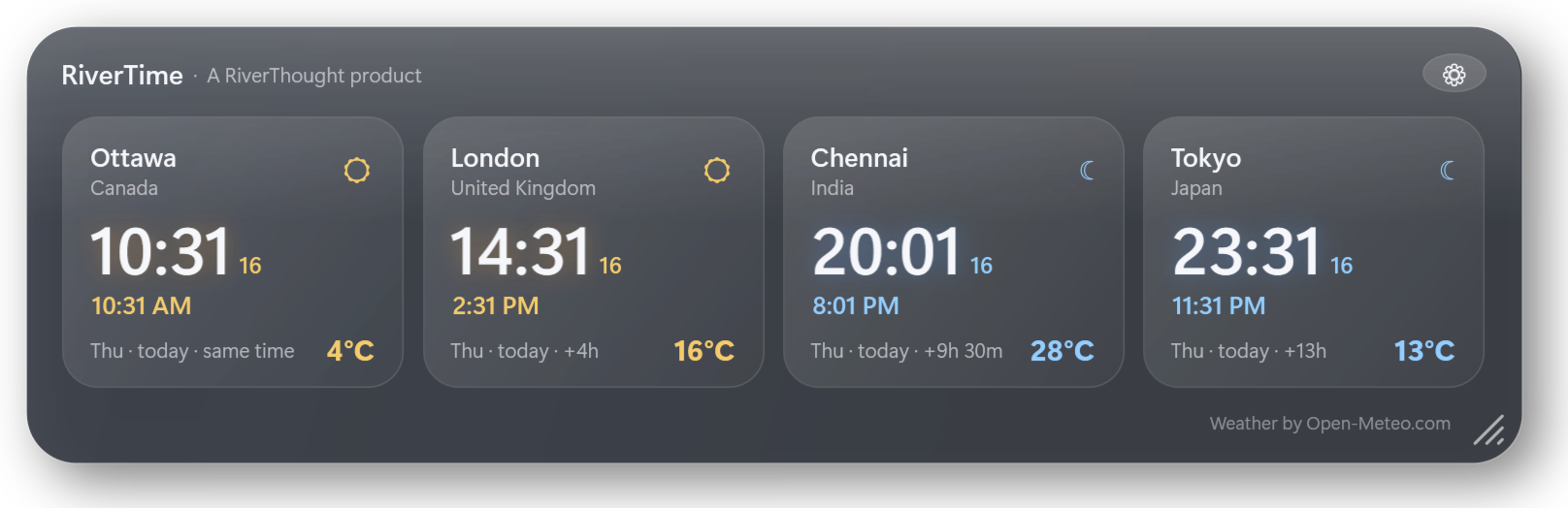
A translucent panel of two to ten world clocks with the live temperature in each city. It floats on your desktop, stays out of the way, and costs nothing.
- Free, no ads
- No account
- No tracking
- Windows and Android
What it does
Small enough to forget. Clear enough to read across the room.
Two to ten cities
Search any city in the world and add it. Reorder them, remove them, keep at least two and up to ten.
24-hour and 12-hour together
Each clock shows 14:31 in large type with 2:31 PM beneath it. Prefer one format? Switch to 24-hour only or 12-hour with AM and PM.
Live temperature
The current temperature in every city, in Celsius or Fahrenheit, refreshed every twenty minutes. Daylight saving is handled for you.
Resize to anything
Drag the corner grip and the whole panel shrinks to a quarter of its size or grows to double. Font size is a separate setting.
Your colours
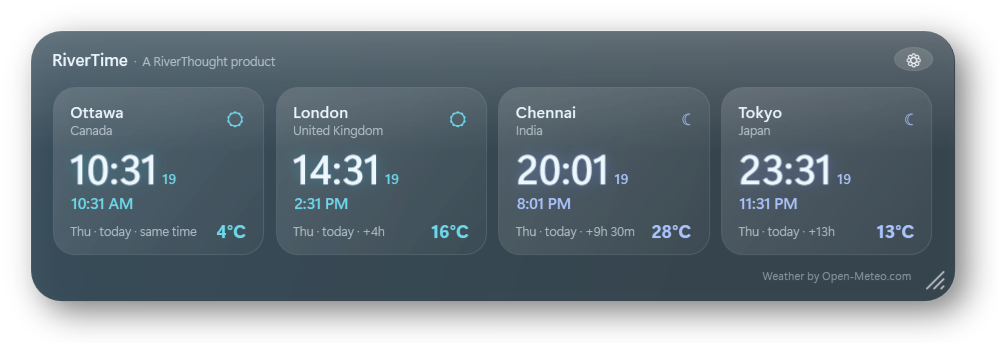
Seven themes, from Midnight gold to Ocean and Emerald, or type any colour for the highlight, the text and the panel.
Out of your way
Semi-transparent, always on top, drag it anywhere, lock it in place, or let the mouse click straight through it. It can start with Windows.
Make it yours
The same panel at 60 percent, in the Ocean theme.
Scroll the mouse wheel over the panel to change how see-through it is. Hold Ctrl while scrolling to change its size, or drag the grip in the corner. Right-click for every option.
On your phone
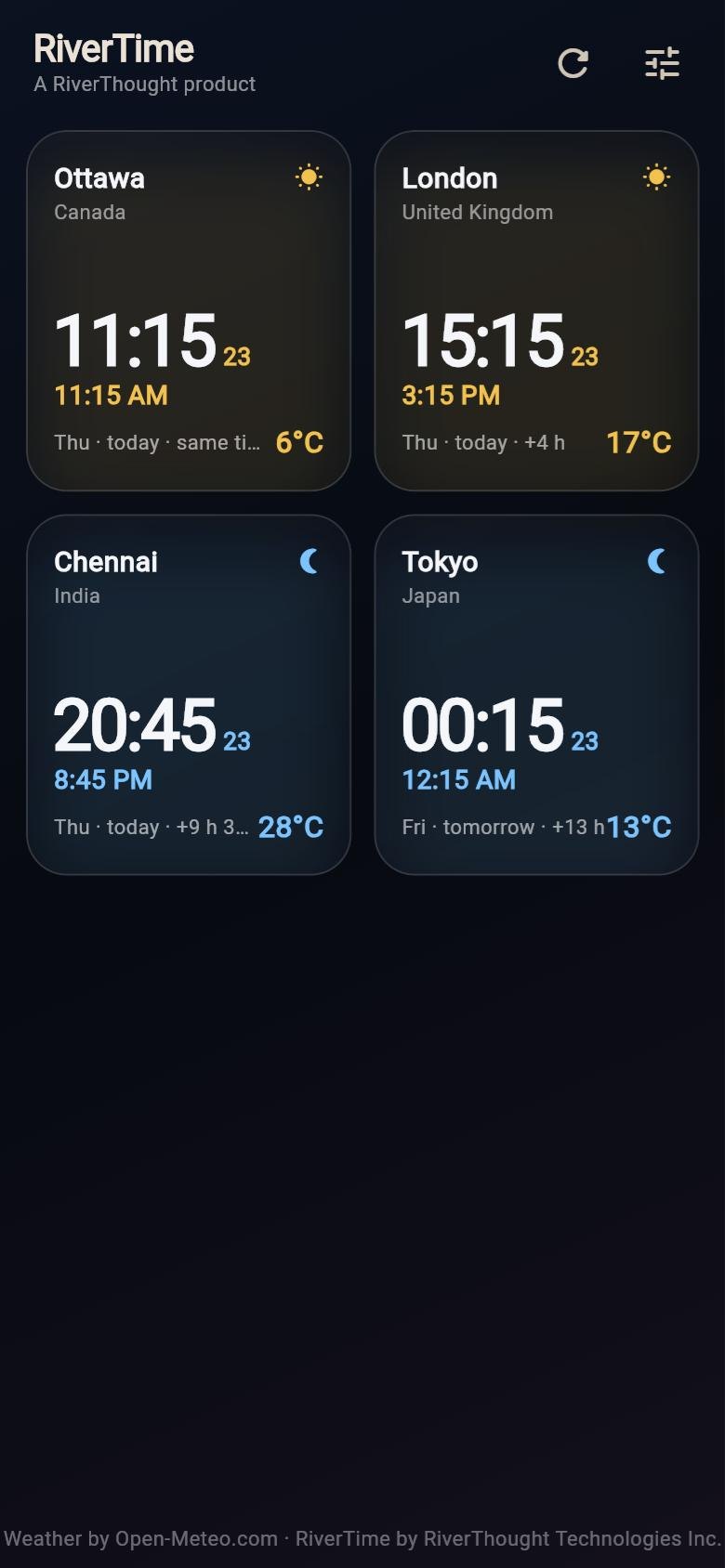
The same clocks in your pocket.
The Android app shows the same cities, formats and themes in glass tiles that switch between a sun and a moon with the local time of day.
A home-screen widget version is on the way.
Download · version 0.2
Free for everyone.
Windows 10 and 11
One file, nothing to install. Double-click to start; it appears in the top-right corner and in the system tray.
If SmartScreen says it protected your PC, choose More info, then Run anyway. SHA-256: 196F159AC5DF201CBDA4F4E0BDB7E17C7035F939CA70E8BF88102E5D87B9AEC9
Android 7 and later
Download on your phone and open the file. Android asks once to allow installs from your browser.
Google Play listing to follow. SHA-256: CE77B7ACE047E2AFEECE4C263D662F57668692703E98CEFB2A6D176456BA7B4D
iPhone and iPad
The iOS version is built from the same code and is being prepared for the App Store, which is the only way Apple allows iPhone apps to be installed.
Weather and time zones come from Open-Meteo.com under CC BY 4.0. RiverTime sends only the coordinates of your chosen cities to Open-Meteo, never anything about you.
Questions
Good to know
Is it really free?
Yes. No ads, no account, no trial, no subscription. It is a small gift from RiverThought Technologies Inc. to the people who use our other tools.
Where are my settings stored?
On your own device. On Windows in your AppData folder under RiverThought\RiverTime; on Android inside the app. Nothing is sent to us.
Does it work offline?
The clocks always keep running. Temperatures need an internet connection and show the last known value when you are offline.
How do I get the panel back after hiding it or turning on click-through?
Use the RiverTime icon in the Windows system tray: double-click it to show the panel, or right-click it for Settings.
How do I remove it?
On Windows, right-click the panel and choose Exit, then delete the file. On Android, uninstall it like any other app.